This article explains how to top up your One NZ Prepay mobile using Online EFTPOS on the Fastpay page.
Before you begin
What you'll need
- Your One NZ Prepay mobile number: Make sure you have the correct mobile number ready.
- Access to Online EFTPOS: You must have a bank account with Online EFTPOS enabled, and access to your bank's mobile app or online banking platform.
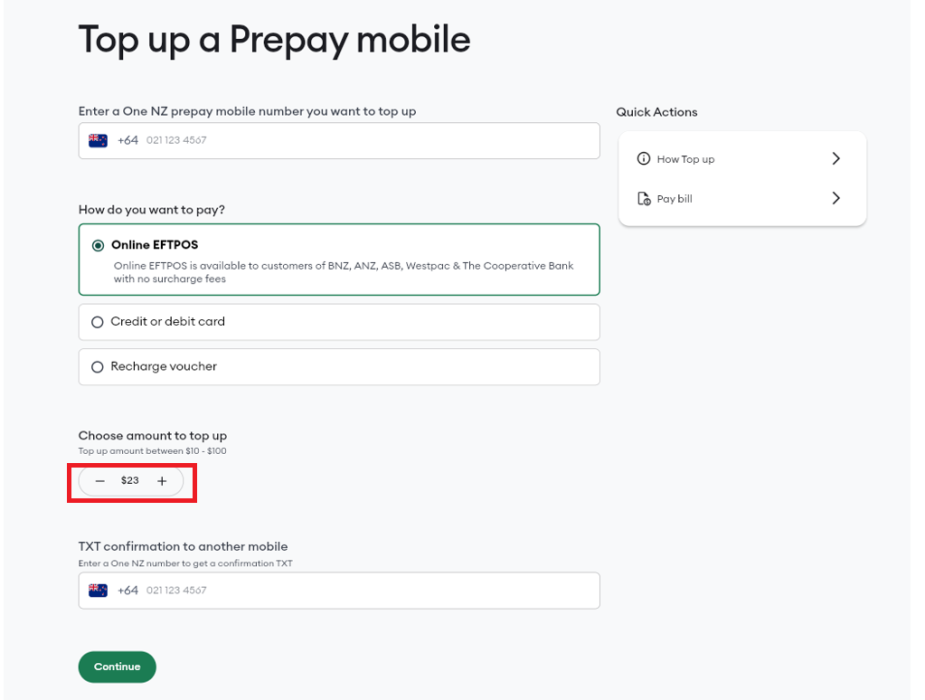
Minimum Top Up
The smallest amount you can top up is $10.
Steps to top up your prepay using Online EFTPOS
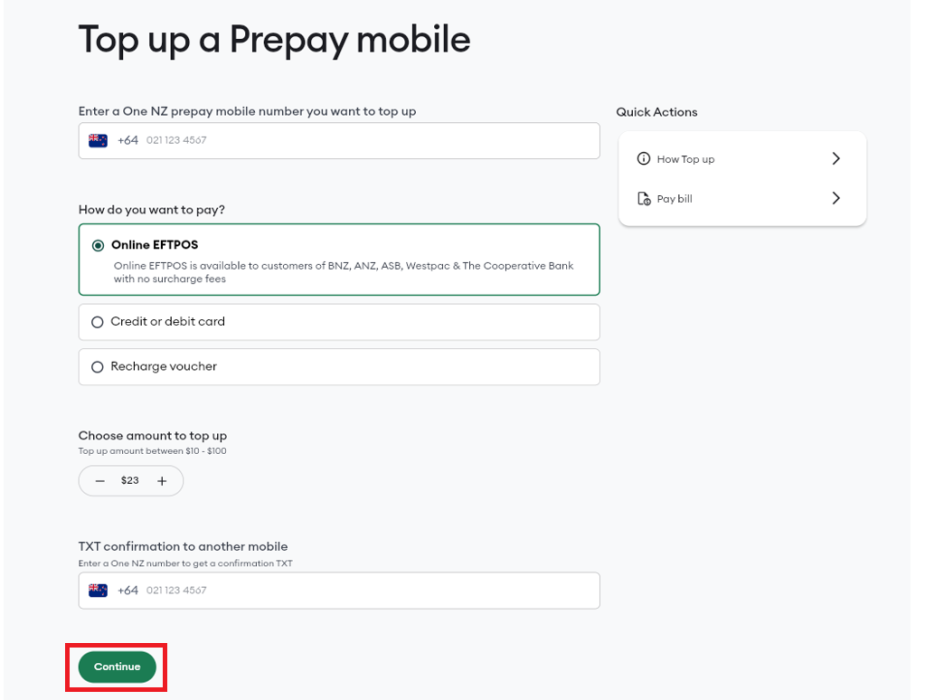
- Go to the Fastpay page to top up a Prepay mobile
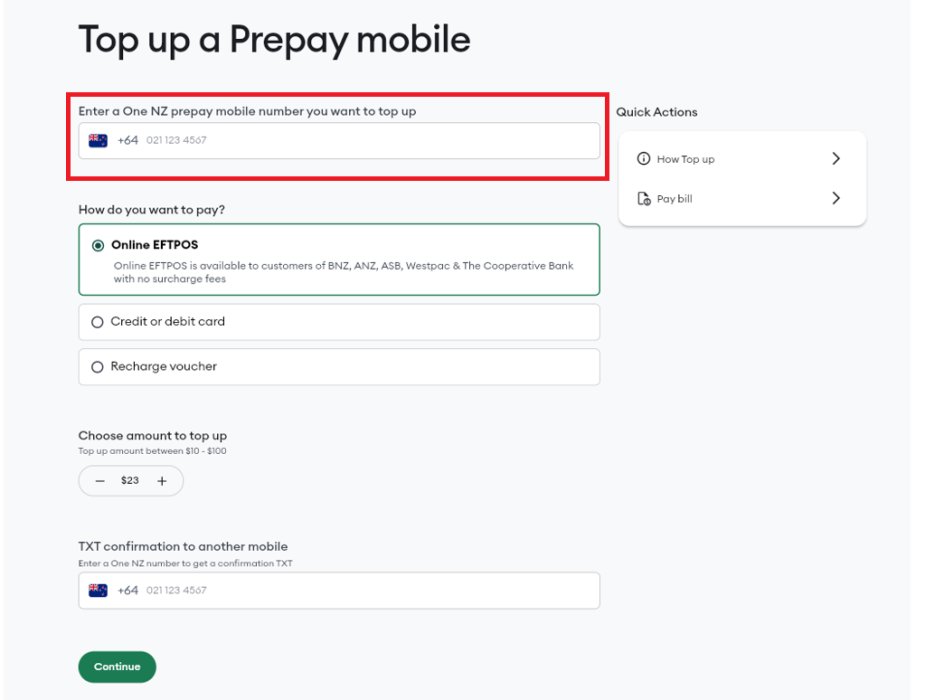
- Enter the One NZ Prepay number you want to top up into the number field

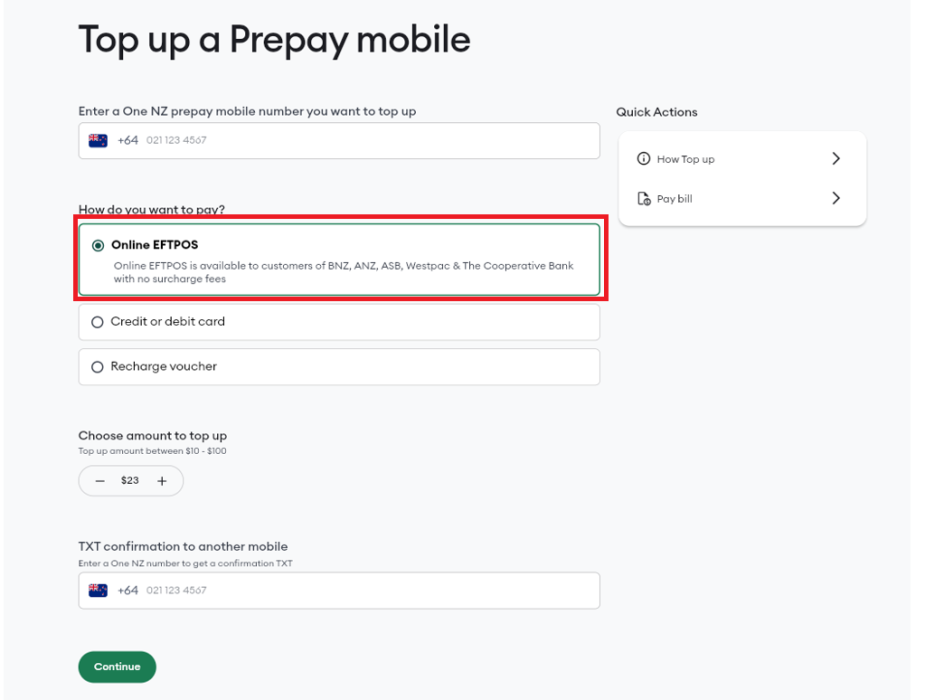
Select Online EFTPOS as your payment option under How do you want to pay?
In Choose amount to top up, select your required top up amount
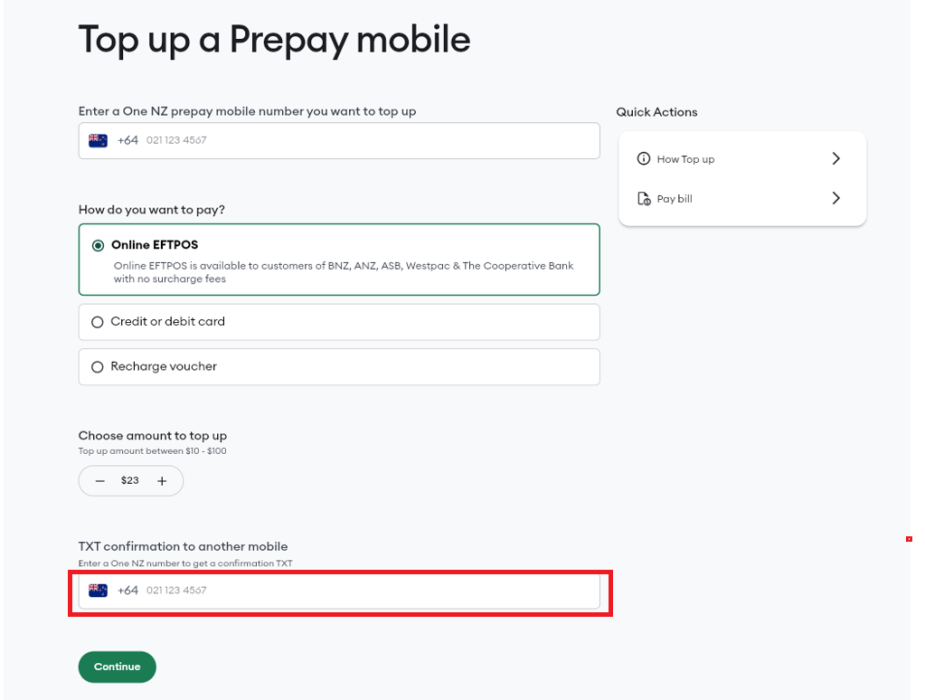
If you're topping up someone else's mobile, enter your own mobile number in the TXT confirmation to another mobile field,We'll send the payment confirmation to this number
- Click Continue
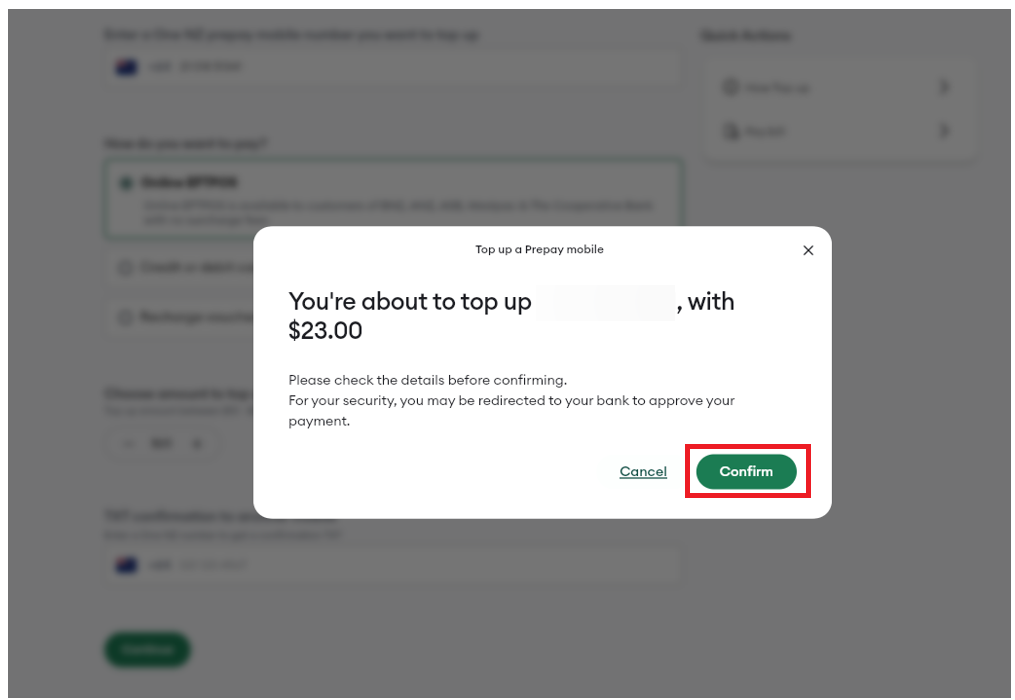
- A confirmation pop-up will appear
If you're happy with the top up confirmation details click Confirm

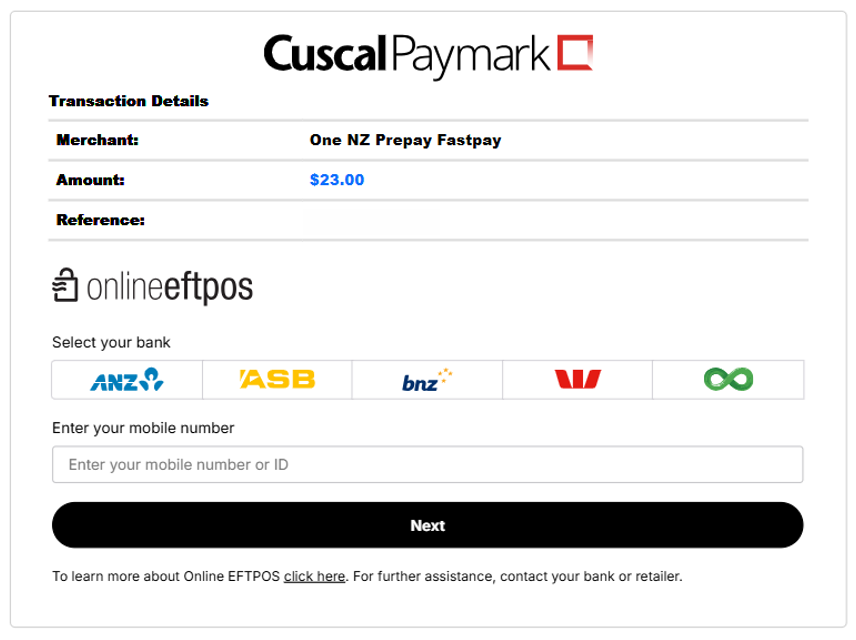
Select your bank and enter your mobile number or ID that's associated with the bank that you're paying from

You will now be asked to open your banking app to approve or decline the payment.
If this is your first time using Online EFTPOS, then your bank will register you for Online EFTPOS in their secure systems.
You will not need to repeat this registration procedure for subsequent payments.
You will be sent a TXT message confirming that the payment is successful.
What to do if that didn't work?
If the payment didn't go through or you weren't able to submit it, use an alternative way to top up your One NZ Prepay .