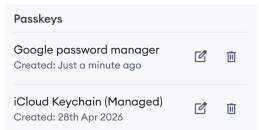
Depending on your device, you can use your face, fingerprint, screen lock or device PIN.
This guide explains how to remove passkeys for your My One NZ account.
Before you begin
Make sure you can sign in to My One NZ.
Steps to remove a passkey
- Sign in to My One NZ, then open My profile
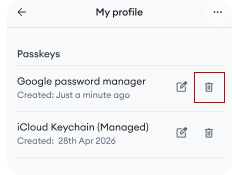
Scroll to Passkeys

Select the bin icon next to the passkey you want to remove

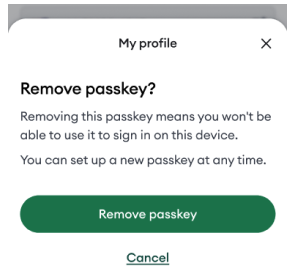
Select Remove passkey